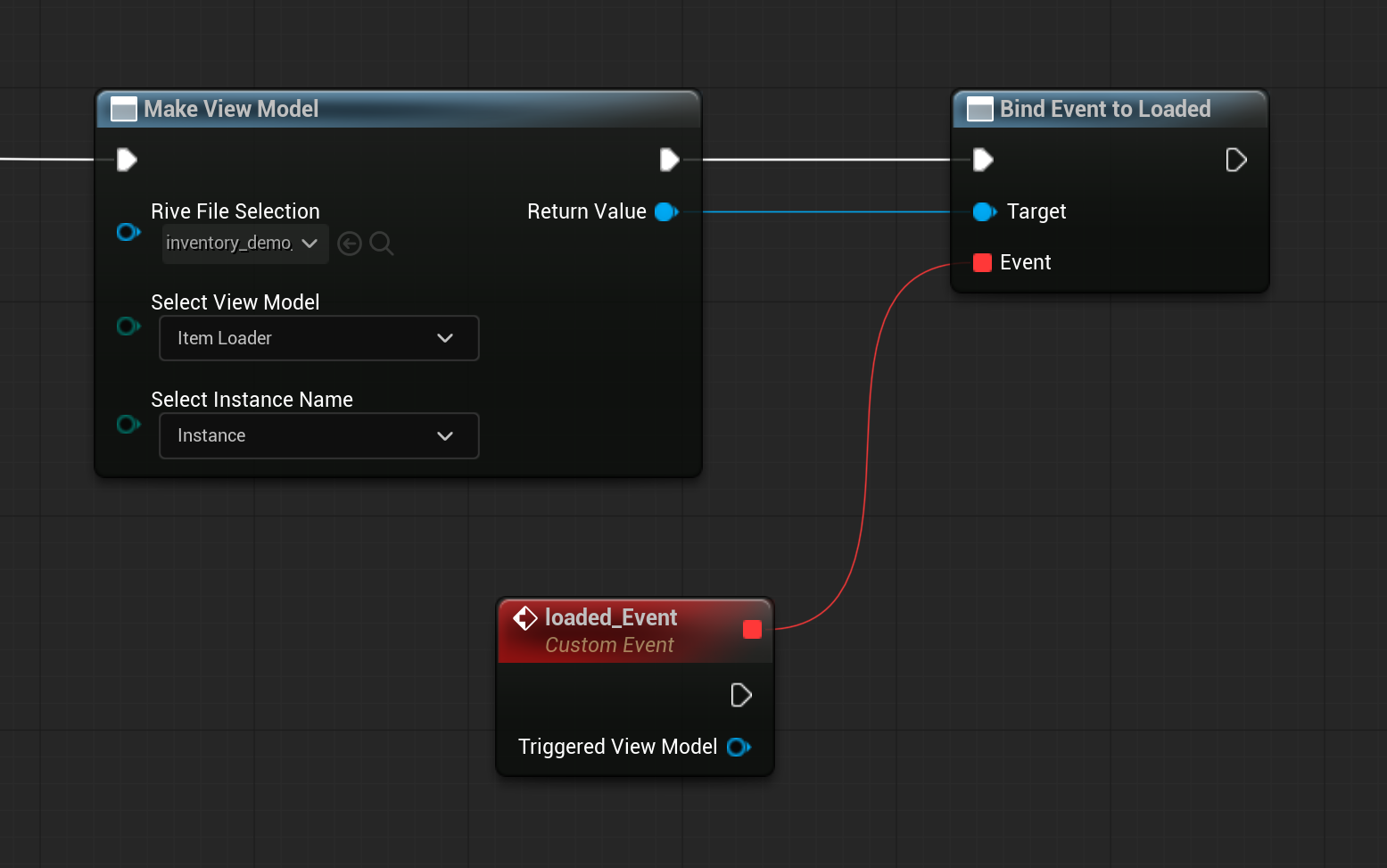
Triggering Events
In the Unreal runtime, “events” should be modeled as ViewModel Trigger Properties. Fire and observe triggers through the ViewModel Instance.Use Trigger Properties for one-shot actions (clicks, milestones, transitions).
Recommended Flow
- Define a Trigger Property in your Rive ViewModel (for example
OnClick). - In Unreal, create and bind a ViewModel Instance to your Rive widget or artboard.
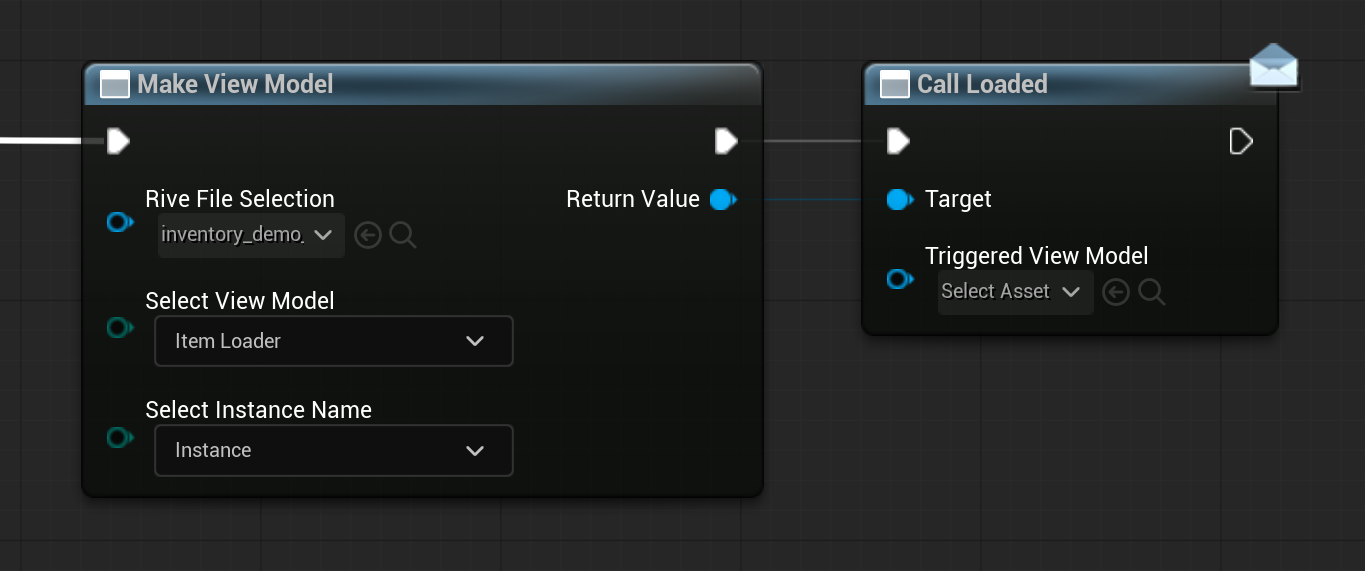
- Fire the trigger from Blueprint using Call .
- Respond to the trigger in Blueprint using Bind Event to .
Blueprint Setup
- Create a Rive widget from your imported
.rivfile. - Create a ViewModel Instance using Make View Model.
- Assign that instance to the widget/artboard.
- Keep a reference to the bound ViewModel instance.
Firing a Trigger in Blueprint
When you want to fire an event (button press, gameplay action, etc.), call the trigger function exposed on the bound ViewModel instance. Typical pattern:- Get your bound ViewModel instance reference.
- Call Call (for example
Call OnClick). - Pass any required inputs for the generated function signature.
Observing Trigger Results
If Unreal needs to react when the trigger is fired:- Use Bind Event to on the ViewModel instance.
- Handle callbacks synchronously during the update cycle.
- Unbind delegates before destroying the ViewModel instance.